
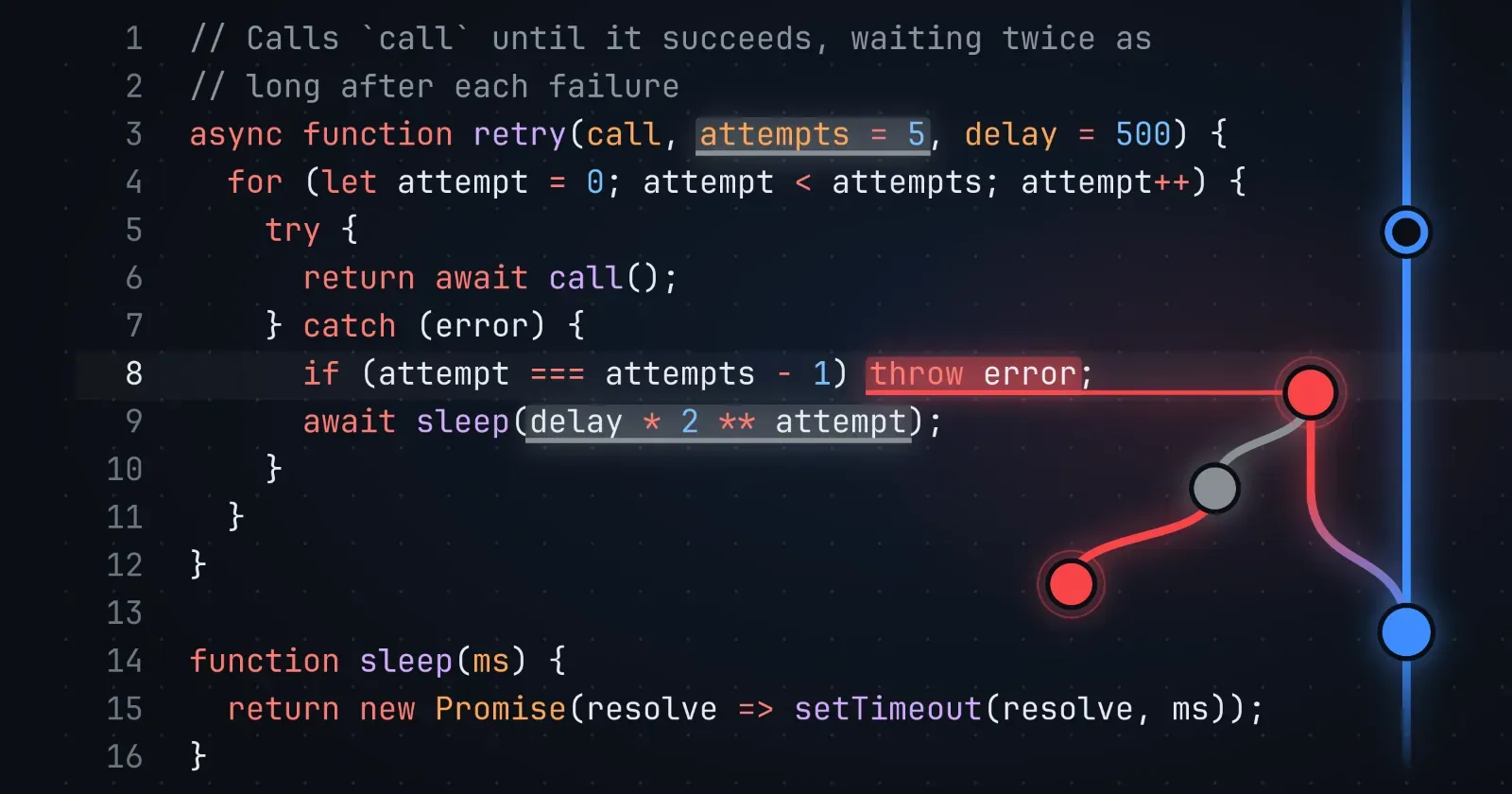
Programmers already know the rule Veritula runs on. A pull request with unresolved review comments shouldn’t get merged. On Veritula, an idea is rationally adoptable only if it has no pending criticisms, and a criticism is pending if it has no pending criticisms itself. Code is an idea like any other, so you can post it, criticize it, and improve it here.
GitHub and GitLab only go so far with that rule, though. You can comment on a gist, but not on a line of it. You can comment on a line of a pull request, but not on half of one. And a thread ends when someone clicks ‘Resolve conversation’, whether or not anyone answered it. Replies in GitHub discussions can’t even be deeply nested (more on that below). Veritula, on the other hand, is built around the simple rule above. Here’s what that means for your code.
Post a snippet, beautifully highlighted
Veritula doesn’t host repositories, at least not yet. It’s for snippets: the function, pattern, or fix you want criticized, with your reasons around it. Unlike GitHub gists, Veritula snippets can be surrounded by prose. Write a sentence or two, put your code between three backticks, name its language, and post. Veritula highlights over 200 languages, numbers the lines, and adds a button to copy the code. Here’s a function to try it on:
// Calls `call` until it succeeds, waiting twice as// long after each failureasync function retry(call, attempts = 5, delay = 500) {for (let attempt = 0; attempt < attempts; attempt++) {try {return await call();} catch (error) {if (attempt === attempts - 1) throw error;await sleep(delay * 2 ** attempt);}}}function sleep(ms) {return new Promise(resolve => setTimeout(resolve, ms));}
The editor above has all the features you’ve come to know and love as a programmer. It colors code as you type, the same way the final page will: what you see is what you get. Tab indents and Shift-Tab outdents. Return keeps the line’s indentation, and indents further after an opening bracket, Ruby’s do, or Python’s colon. ⌘/ comments lines out, ⌥↑ and ⌥↓ move them, and pasted code lands at the caret’s indentation. Put your cursor next to a parenthesis or bracket and it highlights the matching one. What you write is saved as a draft as you go, and ⌘S saves it right away. Code you need to keep private can go in a private discussion, which costs a one-time USD 3.00.
Criticize code, with unmatched precision
GitHub ties a review comment to whole lines. That’s a rather blunt tool. On Veritula, you select exactly what you mean – one keyword, half an expression, or a passage across several lines – and choose ‘Criticize…’ from the menu that appears. Your criticism opens with that code quoted, in the same colors it has in the block, even if your selection starts in the middle of a string or a comment.
Once submitted, the passage is marked in the original: red for pending criticisms, gray for addressed criticisms and comments. Hover over a marked passage to see the replies that quote it; click it to go to them. Hovering over a quote does the reverse, and clicking it takes you back to the corresponding part of the code.
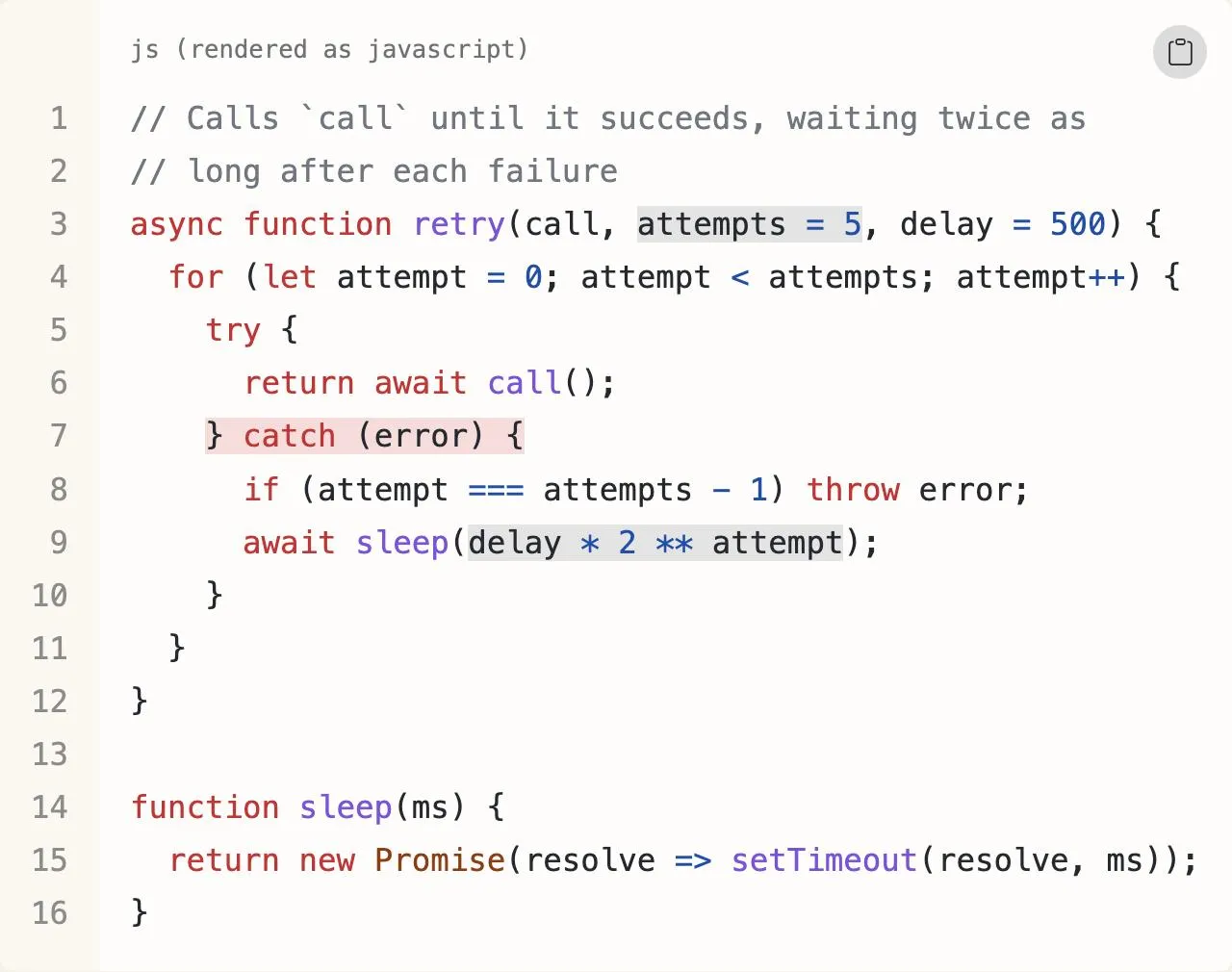 The retry function above, once three readers have replied: a pending criticism of how it catches errors, a comment, and an addressed criticism of its numbers.
No button resolves a criticism – the rule does, automatically
On GitHub and GitLab, a thread is resolved when someone clicks a button. Veritula has no such button. A criticism of your code stands until it’s addressed with a counter-criticism or a revision. That answer can be criticized in turn, as deep as the argument goes, and whether your code is rationally adoptable follows from the whole tree, worked out the same way at every level.
Review threads on GitHub are flat: every reply goes at the end of one list. But Veritula is deeply nested: every reply can get replies of its own, so two objections to the same answer don’t get tangled up with each other and criticisms are evaluated recursively.
Revisions that know what they addressed
When a line changes on GitHub, the comments on it are marked ‘Outdated’, whether the change addressed them or not. On Veritula, a revision is a new version, and you choose which replies still apply to it. Those carry over; the criticisms it addressed are credited in it by name, notifying their authors that their criticism led to the change. It’s like naming your reviewers in a commit message, except Veritula does it for you.
Anyone can compare the versions. For code, it’s like a git diff: the lines added and removed, the words that changed within them, and the unchanged lines folded away.
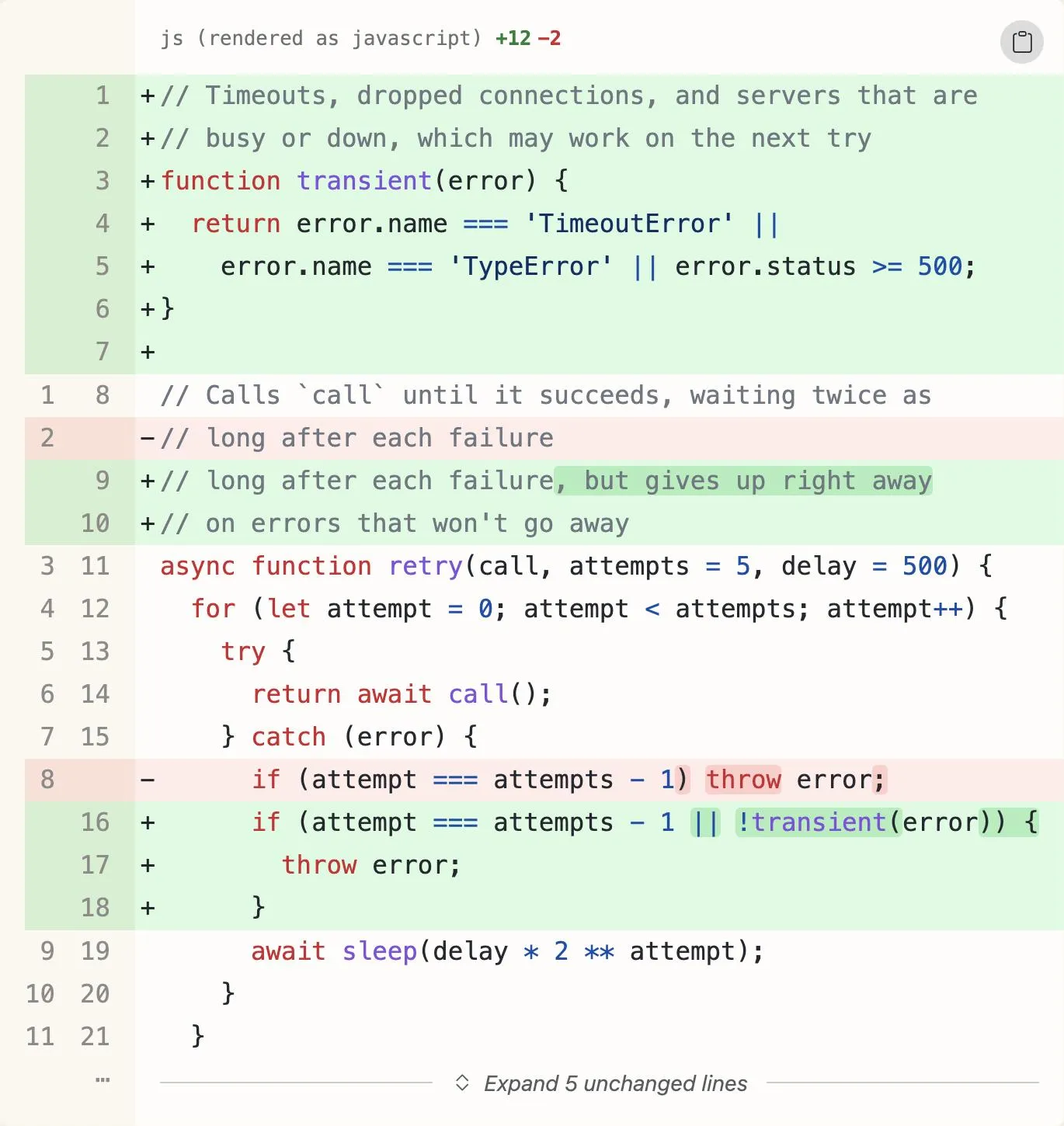 A revision addressing that criticism, compared with the version before it.
When criticisms pile up, a guide takes you through them one at a time. For each, you can address it, revise your idea, or move on for now.
Replay the argument
Each discussion is drawn as a tree beside the text, with pending criticisms in red. A timeline along the bottom of the page goes back through its history, one point for each idea and revision. Drag it back, and the page shows the discussion as it was then: the code before it was revised, and only the replies posted by that time.
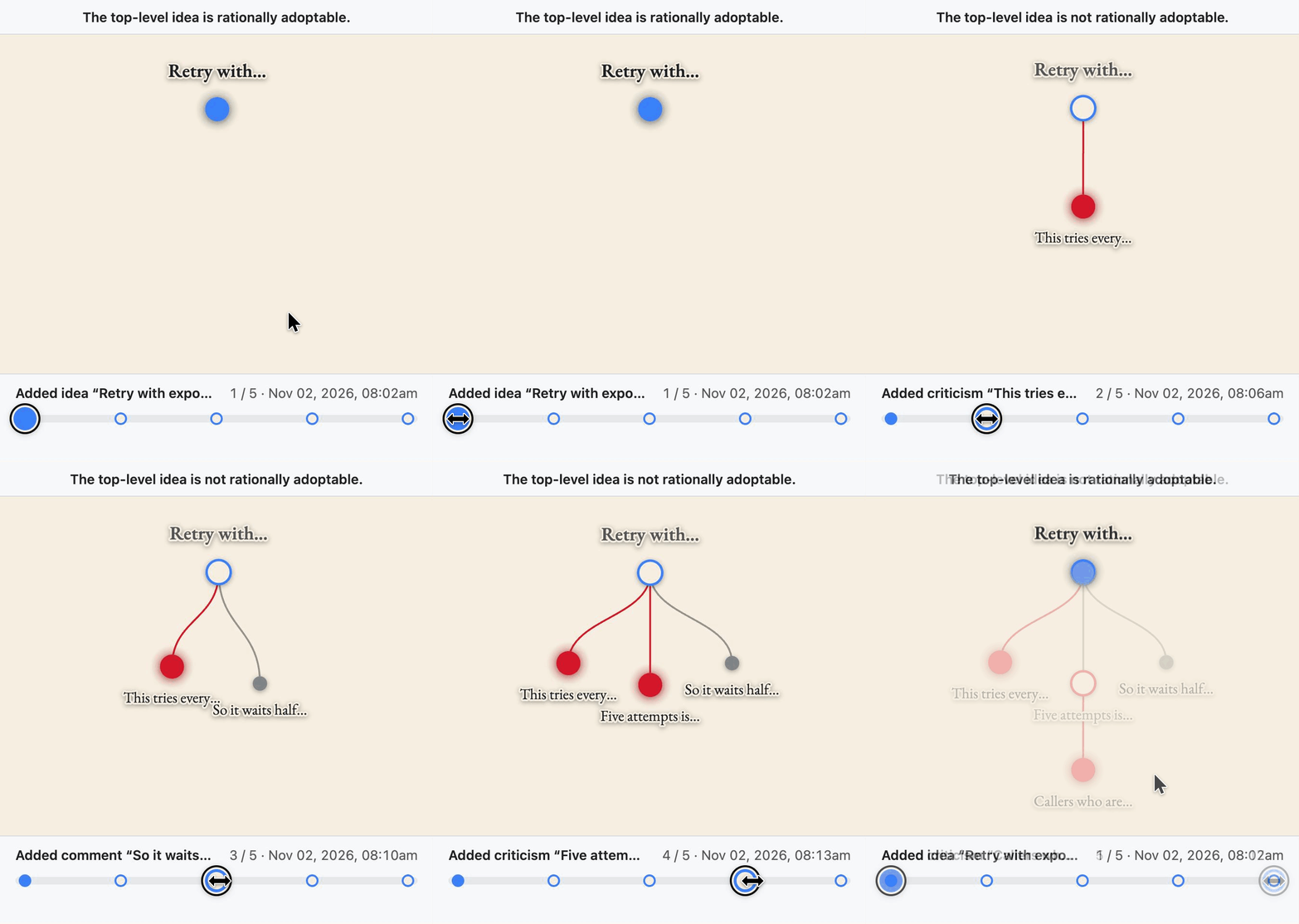 The same discussion as a tree. Hollow ideas aren’t rationally adoptable: the retry function (blue) shown through several historical states, with and without pending criticisms.
Share it anywhere
Post a link to an idea with code on X, Slack, or iMessage, and its preview shows the code, highlighted:
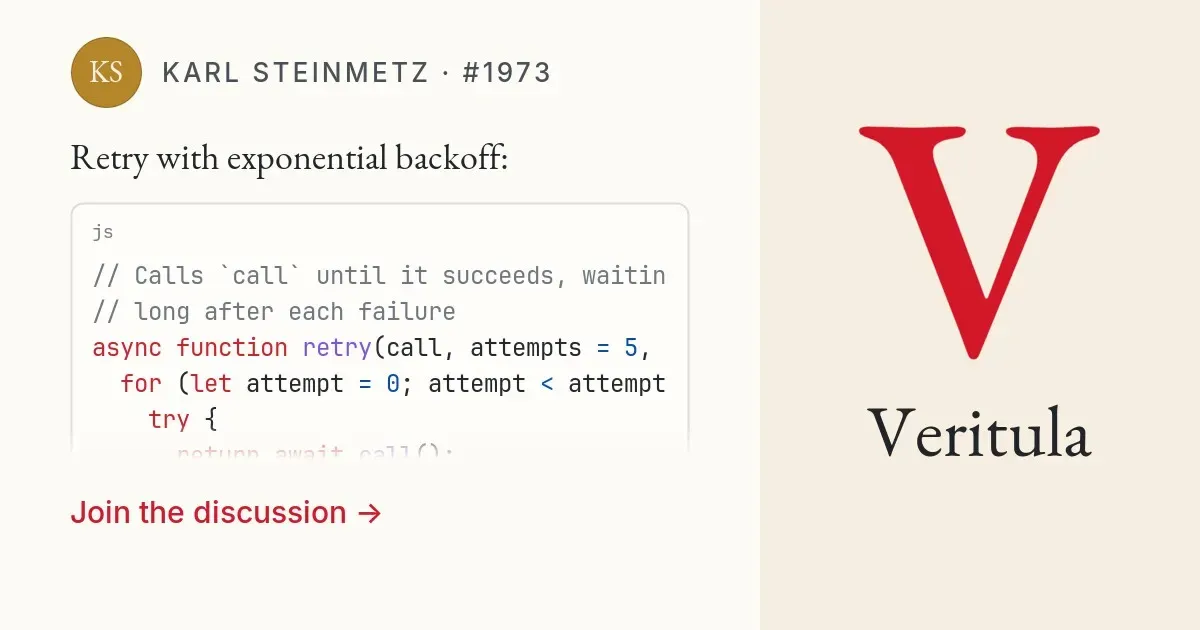
Email notifications highlight code as well. Refer to another idea by its number, like #5114, and it links there. Your idea also shows up on the referred idea’s page, much like GitHub’s ‘mentioned this’ links.
Put money on it
Want more eyes on your code snippet? Offer a bounty for criticism, like a bug bounty: name an amount and your terms, and pay out for the criticisms you accept. Others can add their own funding to yours.
Bring your assistant
Veritula has an MCP endpoint at https://veritula.com/mcp. Add it to any coding agent that supports MCP, and it can search and read discussions. Once you sign in, it can also post ideas and replies for you. Everything it posts is properly disclosed as written with AI, automatically.
Try it here
This article is an idea like any other, so the rule applies to it too. If you think the retry function above is wrong, or anything else in this article, select it, choose ‘Criticize…’, and say why. Until someone addresses your criticism, this article isn’t rationally adoptable. The rule decides automatically. It is, in fact, simply expressed in the following code snippet:
def should_adopt? ideapending_criticisms(idea).none?enddef pending_criticisms ideacriticisms(idea).filter { |c| should_adopt?(c) }end
For more details and a discussion of this rule, see #5114:
 Dennis Hackethal·#5114·3 months ago
def should_adopt? idea
  pending_criticisms(idea).none?
end

def pending_criticisms idea
  criticisms(idea).filter { |c| should_adopt?(c) }
Can you refute this article?
Nobody has criticized the article yet. One criticism nobody can answer is enough to make it no longer rationally adoptable.
More articles by Dennis Hackethal
web-haptics: Haptic Feedback Finally Comes to iOS Safari

lochie just published a package bringing haptic feedback to the web on iOS: web-haptics. I spent four years at Apple working mostly on UIs, so I pay close attention to design and UX. In terms of presentation, use case, and attention to…